Connect anything to anything
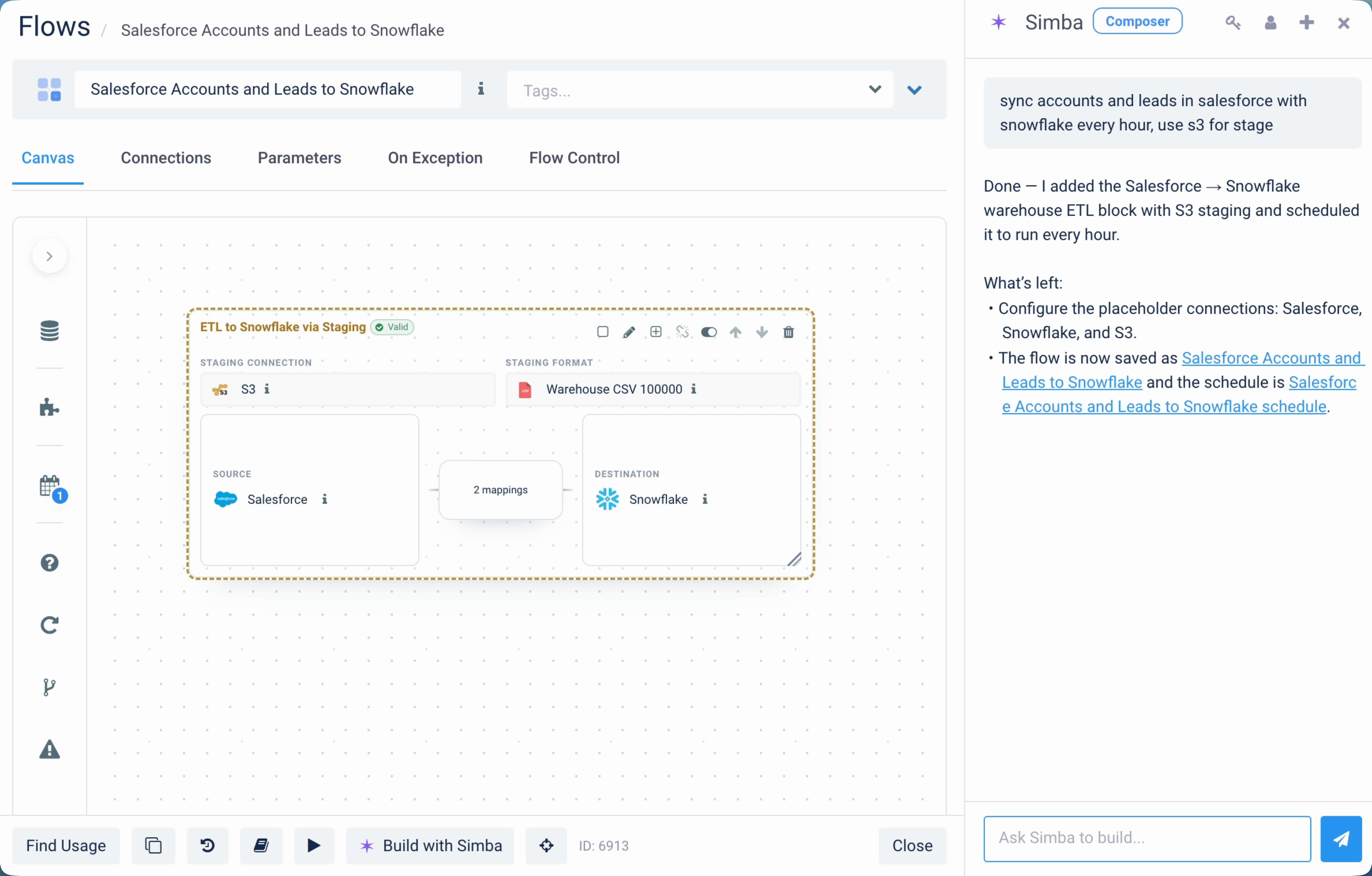
Drop connections on the canvas. Wire them up. One source to many destinations, many to many, with transformation steps in between. No flow type to pick: Composer figures it out.
Composer
Drop connections on the canvas. Wire them up. Chat with Simba, drag-and-drop, or write code: same workspace, same flows. Backed by 200+ flow types and 3,979 templates underneath.
The challenge
Most data integration tools make you pick a flow type before you understand what you’re building. Pick wrong and you reconfigure. Pick right and you still spend an hour mapping fields by hand.
Three about the workspace, three about the engine it sits on.
Drop connections on the canvas. Wire them up. One source to many destinations, many to many, with transformation steps in between. No flow type to pick: Composer figures it out.
Chat with Simba, drag-and-drop, write code, or run from CLI: all on the same flow. Switch modes mid-build. The flow object is the same regardless of who’s driving.
See data flowing as Simba assembles or as you wire connections. Validate transformations against real rows before you ship.
ETL, ELT, reverse ETL, CDC, replication, files, EDI, webhooks. Composer composes them, but the engine primitives are still there if you need to drop into one directly.
Pre-built integrations for known source-destination pairs. AI-searchable from inside Composer. Simba reaches for them automatically when building.
Compose multiple flow types into one larger pipeline. Conditional logic, loops, parallel branches, error handling. Build complex orchestrations in the same canvas.
Composer is a workspace, not a flow type. It sits on top of the existing platform: flow types, templates, and connectors are the foundation. Same engine, a different way in.
Backwards compatible: Existing flows built directly from flow types or templates keep working. The gallery is still there, and Composer sits beside it.
“We watched new users open Etlworks for the first time, see 200+ flow types and 3,979 templates, and freeze. The platform’s depth was working against us. Composer is what happens when you stop asking people to commit before they understand. Drop two connections, wire them up, ask Simba to handle the parts you don’t know yet. That’s it. The rest of the platform is still there underneath, but you don’t need to know it exists to ship something useful.”
Tell us what Composer should do next. If there is something you keep wanting it to handle, or a rough edge you keep hitting, reach out at product@etlworks.com.
The flow gallery makes you commit before you build — pick “Database to Database” or “API to File” and the UI configures around that choice. Composer skips that step. Drop the source and destination on the canvas, wire them, and Composer figures out the flow type from your wiring. You can still drop into a specific flow type later if you need to. Existing flows built from the gallery can also be converted to Composer flows directly from the UI, no rebuild required.
No. Composer supports drag-and-drop, code, and CLI building without ever invoking the agent. Simba is opt-in: useful when you want to vibe-build or hand off boilerplate, never required. Plenty of people never invoke it at all.
Yes. All 3,979 templates are still discoverable from inside Composer via AI search. Pick one as a starting point, then customize on the canvas. Simba uses templates automatically when building flows for known source-destination pairs.
Yes. Composer flows are first-class flows — same export/import, same built-in version control, same CLI access as any other flow in Etlworks. The workspace differs; the underlying flow object is the same one you’d get from the gallery.
JavaScript, Python, and SQL. Use them inline for transformation steps, validation, or custom logic. Self-hosted scripts also work via SSH for code that needs to live outside the Etlworks runtime.
Yes. Composer ships with every Etlworks deployment — cloud, hybrid, and on-premise. Same workspace, same engine. No feature differences across deployment types.
14 days, no credit card. Start it in Composer, or hand it to Simba and watch.